Signing in to an online casino should be quick, clear and secure. For UK players, the process at Aphrodite Casino normally involves opening the official website, selecting the login option, entering the registered details and completing any security checks requested by the platform. A few simple preparations can make the experience smoother, especially when accessing an account from a new device or after a period of inactivity.
This guide explains how to access an AphroditeCasinoUK Platform account, what to do if login details are forgotten, how verification may affect access and which safety habits are worth following before playing casino games online.
Before You Try to Log In
It is useful to have the correct account information ready before opening the sign-in page. Most casino accounts require the email address or username used during registration, together with the chosen password. If the casino supports a telephone number as an alternative login identifier, use the number linked to the account.
- Use the official Aphrodite Casino website address.
- Check that your internet connection is stable.
- Keep your registered email address or username available.
- Make sure your password is entered exactly as created.
- Disable automatic translation or browser extensions if the page displays incorrectly.
Players should avoid signing in through links received in unexpected messages. A genuine-looking page can still be a phishing copy designed to collect login details. Checking the address bar and the secure connection symbol is a sensible first step.
Step-by-Step Sign-In Instructions
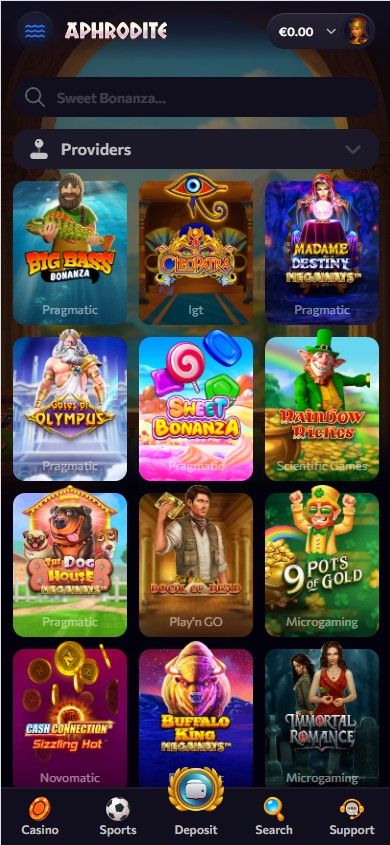
Open the Official Website
Use a trusted browser on a desktop computer, tablet or mobile phone. Type the website address manually or use a bookmark created after confirming that the address is correct. Avoid public computers when possible, as they may store browser data or contain unsafe software.
Locate the Login Button
On the homepage, look for a button labelled Login, Sign In or a similar term. It is commonly placed in the upper section of the page. Selecting it should open a small form requesting your account credentials.
Enter Your Account Details
Type the registered email address or username into the first field. Enter the password in the second field. Be careful with capital letters, spaces and special characters. If the password is hidden behind dots, use the visibility icon only when nobody else can view the screen.
Complete Additional Security Checks
Some accounts may require a verification code, a CAPTCHA or confirmation through email. These checks are designed to protect the account from unauthorised access. Follow the on-screen instructions and request a new code if the first one expires.
Select “Login”
After reviewing the information, submit the form. If the details are correct, your account dashboard should open. From there, you may be able to view your balance, manage payment methods, review bonuses and access available casino games.
What to Do If Your Login Does Not Work
An unsuccessful login does not always mean that an account has been blocked. The most common causes are a typing mistake, an outdated password, browser problems or a temporary security restriction.
Check the Basic Details
First, confirm that the email address or username is correct. Look for accidental spaces before or after the text. If you use a password manager, verify that it has not inserted an old password. Manually typing the details once can help identify an autofill problem.
Use the Password Recovery Option
If you cannot remember the password, select the Forgotten Password or Reset Password link on the login form. The casino may ask for the registered email address and then send a reset message. Check the spam, junk and promotions folders if the message is not visible in the main inbox.
Choose a new password that is unique to the casino account. A strong password should contain a combination of uppercase and lowercase letters, numbers and symbols. Do not use a name, birthday or an easily guessed sequence.
Try a Different Browser or Device
Cached files and outdated cookies can sometimes prevent a login page from working correctly. Clearing the cache, opening a private browsing window or trying another updated browser may resolve the issue. If the website works on a phone but not on a computer, the problem may be local to the original device.
Account Verification for UK Players
Online casinos may request identity or payment verification before allowing certain account actions. This can happen during registration, before a withdrawal or when the operator needs to confirm account information. Verification procedures are intended to support responsible operation, prevent fraud and meet applicable regulatory requirements.
Documents may include proof of identity, proof of address or confirmation of the payment method. Only upload documents through the secure account area or an official support channel. Do not send sensitive documents to an unknown email address or through an unverified social media account.
Ensure that images are clear, complete and readable. The name and address should match the information registered on the account. Mismatched details can delay the review process and may require additional clarification from customer support.
Is the Sign-In Process Safe?
Account safety depends on both the casino’s security systems and the player’s habits. Before entering any details, check that the website uses an encrypted connection. Keep your operating system, browser and security software updated, and never share your password with another person.
- Do not reuse the casino password on email or banking accounts.
- Avoid signing in over unsecured public Wi-Fi.
- Log out after using a shared device.
- Never disclose verification codes to another person.
- Review account activity and payment notifications regularly.
If Aphrodite Casino provides an optional additional security feature, such as two-step verification, activating it can offer extra protection. A separate verification code makes it more difficult for someone to enter the account using only a stolen password.
Using Aphrodite Casino on Mobile
UK players may prefer signing in through a mobile browser when they want access while away from a desktop. The mobile page should be opened through the official website rather than an unknown download link. If a dedicated application is offered, confirm its source and permissions before installing it.
A mobile login usually follows the same sequence: open the website or app, select the login option, enter the account information and complete any verification step. Keep the device protected with a screen lock, fingerprint recognition or another trusted security method.
Do not save login details on a phone that is regularly used by other people. If the device is lost, use the account recovery process and change the password from a secure device as soon as possible.
Helpful Questions and Answers
Why am I being asked to verify my email?
Email confirmation helps the operator check that the address belongs to the account holder. It may also be required for password recovery, security alerts and important account communications.
Can I sign in if my account is temporarily restricted?
You may be able to open the account area while some functions remain unavailable. Restrictions can relate to verification, responsible gambling controls, security reviews or incomplete information. Contact official support for the reason and the next steps.
What should I do if I receive a suspicious login message?
Do not click unknown links or provide credentials. Open the official website independently, change the password if necessary and contact the casino through its verified support channel. If the message appears to involve a payment account, notify the relevant payment provider as well.
How long should password recovery take?
Reset messages are often delivered quickly, but delays can occur because of email filtering, incorrect account details or temporary technical issues. Check all inbox folders and request another message only after confirming that the email address is correct.
Support When Access Problems Continue
If the standard recovery steps do not work, contact Aphrodite Casino support through the official website. Provide a clear description of the problem without sending your password or full payment details. Useful information may include the device type, browser version, error message and approximate time of the failed attempt.
Support staff may ask questions to confirm account ownership. Answer accurately and use only the communication method shown on the official website. Keep copies of relevant messages until the issue is resolved.
Final Checklist for a Smooth Login
- Open the verified Aphrodite Casino website.
- Select the official Login or Sign In button.
- Enter the registered email address or username.
- Type the current password carefully.
- Complete any CAPTCHA, code or verification request.
- Check the account dashboard after access is granted.
- Log out when using a shared or public device.
For most UK players, signing in to Aphrodite Casino is a straightforward process when the correct website and account details are used. Keeping contact information updated, protecting the password and responding promptly to verification requests can prevent unnecessary delays. If access still fails, official customer support remains the safest route for restoring entry without compromising personal or financial information.